AI food scanner
From a photo to a nutrition estimate you can review.
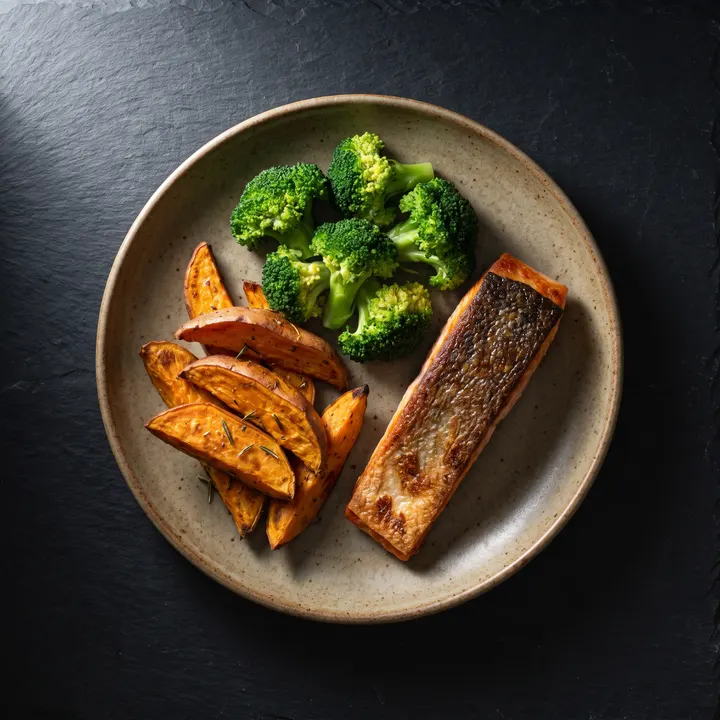
ScanCal analyses a meal image, suggests visible foods and quantities, and calculates an estimate of calories and macronutrients. You check the result, correct what is needed and decide what to save.
Move the lens over the plateDrag the lens over the plate
- 01
Photo
The full plate in clear, even light.
- 02
Estimate
Foods, portions and nutrition values.
- 03
Review
Edit the result before accepting it.
- 04
Diary
Save only the version you reviewed.
A photo provides visual context, not a laboratory measurement. Review is part of the process.
How to scan a meal with ScanCal
The flow keeps the final decision in your hands from start to finish.
- 01
Take a clear photo
Include the full plate, avoid strong shadows and make sure visible ingredients are not covered.
- 02
Read the estimate
ScanCal suggests detected foods, their approximate amounts and an initial nutrition calculation.
- 03
Review and edit
Check the meal name, portions, ingredients and any oil, sauce or side that may not be clearly visible.
- 04
Save to your diary
Add the meal when the result reasonably reflects what you ate.
What you can review
Calories, macros and ingredients in one result.
The analysis organises the information so you can spot inconsistencies before saving it.
Energy and macronutrients
An estimate of calories, protein, carbohydrates and fat for the analysed portion.
Foods and ingredients
An editable breakdown of the components the analysis recognises or infers from the image.
Editable portions
You can adjust amounts, correct foods and add items the camera cannot see.
A useful image reduces uncertainty.
You do not need a studio photograph. You do need to give the analysis enough visual information.
- 01Photograph the plate from an angle that shows all its components.
- 02Use even light and avoid filters, blur or strong reflections.
- 03Keep the plate in frame and preserve visual references for portion size.
- 04Add a description when the recipe or preparation is not obvious.
Important limits
What a camera cannot know on its own.
Two similar-looking plates can use different recipes and have different nutrition values. These factors deserve extra review:
Oils and sauces
The amount used is often hidden or spread throughout the dish.
Internal ingredients
Fillings, layers, covered toppings and cooking methods may not be visible.
Mixed dishes
Stews, soups and blended recipes provide fewer clues about each component.
Portion size
Perspective, the container and framing can change how volume appears.
A logging aid, not a clinical measurement.
ScanCal results are guidance estimates. They do not replace laboratory analysis, manufacturer labelling or advice from a healthcare professional. If you need to monitor nutrients for a medical condition, verify the data using a source suited to your situation.
Product transparency
See what happens between the photo and the result.
The methodology explains what information the estimate uses, where uncertainty appears and why editing is an essential step.
You can also read about what ScanCal is, privacy and security.